How to Automate Your Cleaning Business with GoHighLevel, ConvertLabs, and Zapier
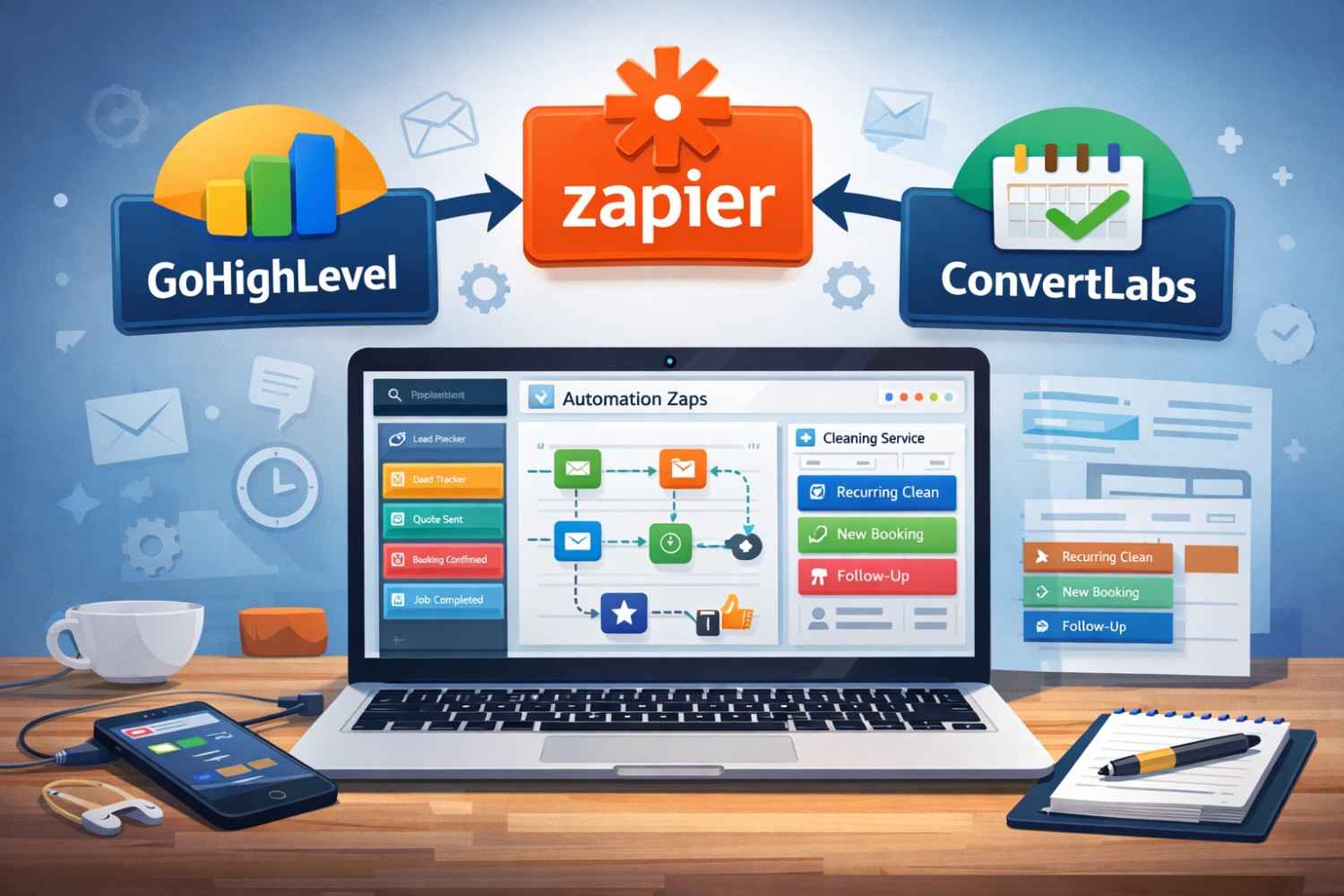
Stop doing everything manually. If you’re running a cleaning business and still copying lead info by hand, chasing down quotes, or forgetting to ask for reviews — this guide is for you.
By connecting three tools — GoHighLevel (GHL), ConvertLabs, and Zapier — you can build a system that handles your leads, bookings, and follow-ups automatically, without you lifting a finger.
Here’s exactly how to do it.
Why These Three Tools?
Each tool does one job really well:
- GoHighLevel is your CRM. It tracks leads, sends follow-up messages, and manages your client relationships.
- ConvertLabs is your booking software. It handles scheduling, dispatching, and service management — things a general CRM can’t do well.
- Zapier connects the two. Since GoHighLevel and ConvertLabs don’t integrate directly, Zapier acts as the bridge that keeps both systems in sync automatically.
Together, they eliminate the need to manually move data between systems or remember to send follow-ups.
The Problem with Most Cleaning Business Websites
A common mistake is putting a full booking form right on your homepage. This seems convenient, but it creates a problem: if someone starts filling it out and leaves before finishing, you have no way to follow up with them. They’re gone.
A better approach:
- Capture contact info first. Use a short survey or form to collect the lead’s name, email, and phone number before they see the booking page. This way, even if they abandon the booking, you have their info in GoHighLevel and can follow up automatically.
- Redirect to a “Thank You” page with the booking link. After they submit the form, show them a thank-you page that invites them to complete their booking through ConvertLabs.
This small change means no lead ever slips through the cracks.
How to Set Up Your CRM Pipelines in GoHighLevel
Your GoHighLevel account should have three separate pipelines to track where every lead and client stands:
1. Lead Tracker Moves prospects through stages like: Quote Requested → In Conversation → Quote Sent → Follow-Up 1, 2, 3, 4
2. Bookings Pipeline Tracks one-time appointments that have been confirmed.
3. Recurring Pipeline Manages clients who book weekly, bi-weekly, or monthly services — your most valuable long-term customers.
How to Connect GoHighLevel to Zapier
Here’s something that trips a lot of people up: GoHighLevel is not listed as “GoHighLevel” in Zapier. Because GHL is a white-label platform, you need to search for “Lead Connector” in the Zapier app directory.
Once you find Lead Connector, you’ll connect it using a webhook. The key trigger events you’ll use are:
- Add/Update Contact — keeps client info current in GHL
- Add/Update Opportunity — moves leads through your pipelines
- Add Lead to Workflow — starts your automated follow-up sequences
- Stop All Workflows — turns off marketing messages once someone becomes a paying client
The 4 Automations You Need to Set Up
These four “Zaps” cover the entire client journey from first contact to repeat customer.
1. New Lead Sync
Trigger: Someone requests a quote in ConvertLabs Action: Zapier creates a contact in GoHighLevel and adds them to the Lead Tracker pipeline
This means every new lead is automatically in your CRM, ready for follow-up — no manual data entry required.
2. Booking Confirmation
Trigger: A booking is confirmed in ConvertLabs Action: Zapier moves the lead from the Lead Tracker to the Bookings Pipeline and stops all marketing workflows
This prevents a new customer from receiving “Hey, don’t forget to book!” messages after they’ve already paid.
3. Service Completion and Review Request
Trigger: A job is marked complete in ConvertLabs Action: Zapier notifies GoHighLevel, which automatically sends a review request to the client
This is one of the highest-ROI automations you can set up. You get more Google reviews without ever remembering to ask.
4. Cancellation Handling
Trigger: A booking is canceled in ConvertLabs Action: Zapier updates the opportunity stage in GHL to “Canceled”
This stops the client from receiving irrelevant messages and keeps your pipeline data accurate.
Advanced: Automatically Separate One-Time vs. Recurring Clients
Once your four core Zaps are running smoothly, you can add smarter logic using Zapier Paths (available on paid Zapier plans).
ConvertLabs includes a “Frequency Name” field that tells you whether a booking is one-time or recurring. You can use this to automatically route clients into the right pipeline and apply the right tags:
- If the frequency is weekly, bi-weekly, or monthly: Tag the client as “Recurring Client” and move them to the Recurring Pipeline
- If the frequency is a one-time service: Tag them as “One-Time” and move them to the Bookings Pipeline
This matters because recurring clients are your most valuable customers. With this setup, GoHighLevel can send them different, more personalized follow-up sequences — helping you retain them longer.
Summary: What This System Does for You
Once everything is connected, here’s what happens automatically — without you doing anything:
| Event | What Happens Automatically |
|---|---|
| New quote request | Lead is added to GHL and enters follow-up sequence |
| Booking confirmed | Lead moves to Bookings Pipeline; marketing stops |
| Job completed | Review request is sent to the client |
| Booking canceled | CRM is updated; irrelevant messages stop |
| Recurring booking detected | Client is tagged and moved to Recurring Pipeline |
Getting Started
Start with the four core Zaps. Get those working first before adding the advanced branching logic. A simple, working system is far more valuable than a complicated one that breaks.
Tools you’ll need:
- GoHighLevel (search for “Lead Connector” in Zapier)
- ConvertLabs — sign up to manage your bookings
- Zapier — free plan works for basic Zaps; paid plan required for Paths/branching
Once this system is running, you’ll spend less time on admin and more time growing your business.
Making a System Work Like a Train
When you combine GoHighLevel, ConvertLabs, and Zapier, you get a professional “stack” that cuts down on administrative work and makes the client experience as good as possible. When you automate the process of turning a lead into a recurring client, you go from being a manual operator to a systems architect. Start with these basic builds, keep your logic clear, and your business will grow.
Are you ready to make your bookings easier?
Click here to sign up for ConvertLabs and start automating your cleaning business right away.
If you want to dive deeper into ConvertLabs’ newest features—like Stripe payment holds, range pricing, and iCal/Airbnb syncing—check out my full breakdown here: https://themaidsociety.com/convertlabs-2026-updates-cleaning-business-automation/


Get Cleaning Tips & Exclusive Offers
Join our community for time-saving hacks and special discounts delivered to your inbox.